Top 10 Free AI Tools in 2025 (Complete Guide)

Artificial Intelligence has completely transformed how we work, create, and learn. In 2025, there are dozens of powerful AI tools available — and many of the best ones are completely free.
In this complete guide, I'll share the top 10 free AI tools that can save you hours of work every day. Whether you're a student, freelancer, content creator, or business owner, these tools will help you work smarter.
Quick Summary: These 10 AI tools are tested and verified. All have free tiers. No credit card required for basic usage.
What You'll Learn
- Best AI for writing and content
- Best AI for image and design
- Best AI for coding
- Best AI for productivity
- Best AI for research
1. ChatGPT — Best Overall AI Assistant

ChatGPT by OpenAI is the most popular AI tool in the world. It can help you write articles, answer questions, translate languages, code, and much more.
The free version gives you access to GPT-4o mini, which is powerful enough for most daily tasks. You can use it on web, iOS, and Android.
Key Features:
- Supports 95+ languages
- Can analyze images and documents
- Available as mobile app
- No credit card required
2. Google Gemini — Best for Research

Google Gemini is Google's answer to ChatGPT. Its biggest advantage is direct integration with Google Search, YouTube, and Gmail — making it excellent for research and real-time information.
Key Features:
- Connected to Google Search
- Analyzes YouTube videos
- Works with Google Docs and Gmail
- Completely free
3. Canva AI — Best for Design
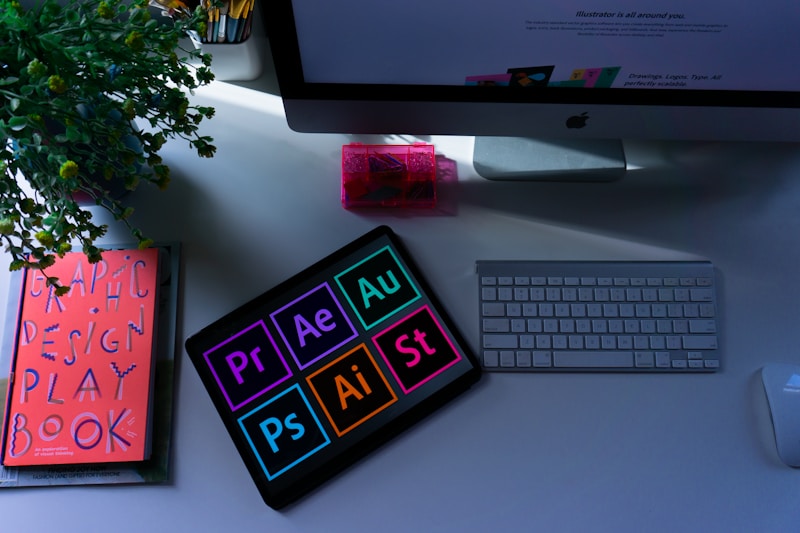
Canva's AI features (Magic Studio) let you create stunning graphics, social media posts, presentations, and videos in seconds. Perfect for bloggers, YouTubers, and small business owners.
Key Features:
- Text-to-image generation
- Background remover
- Magic Write for content
- Thousands of free templates
4. Claude AI — Best for Long Documents

Claude by Anthropic is known for handling very long documents (up to 200K tokens). If you need to analyze research papers, books, or large reports, Claude is your best choice.
Key Features:
- Handles massive documents
- Excellent writing quality
- Strong reasoning ability
- Free tier available
5. Microsoft Copilot — Best for Office Work

Microsoft Copilot brings AI to Word, Excel, PowerPoint, and Outlook. It also powers Bing Chat for web browsing. Great for professionals and students.
Key Features:
- Integrated with Microsoft Office
- Free web and mobile access
- Image generation with DALL-E
- Real-time information from Bing
6. Perplexity AI — Best AI Search Engine

Perplexity is an AI-powered search engine that gives you direct answers with sources. Unlike Google, it summarizes information and cites references — perfect for research.
Key Features:
- Real-time web search
- Cites all sources
- Focus modes (academic, video, etc.)
- Completely free
7. DeepSeek — Best Free Coding AI

DeepSeek has shocked the AI world with its powerful coding abilities — completely free. It can write, debug, and explain code in any language.
Key Features:
- Excellent at coding
- Analyzes code files
- Reasoning capabilities
- 100% free
8. Leonardo AI — Best for Image Generation

Leonardo AI creates stunning images from text prompts. It's especially good for realistic photos, concept art, and product mockups.
Key Features:
- Daily free credits
- Multiple art styles
- Image upscaling
- Commercial use allowed
9. Grammarly — Best for Writing

Grammarly uses AI to check grammar, spelling, tone, and clarity in your writing. It works across browsers, Word, and mobile keyboards.
Key Features:
- Grammar and spell check
- Tone suggestions
- Browser extension
- Free plan available
10. Hugging Face — Best for AI Enthusiasts
Hugging Face is a platform where you can try thousands of AI models for free — text, image, audio, and more. Perfect for developers and AI enthusiasts.
Key Features:
- Thousands of free AI models
- Spaces for live demos
- Datasets for research
- Community-driven
Which AI Tool Should You Choose?
Here's a quick recommendation:
- For writing: ChatGPT or Claude
- For design: Canva AI or Leonardo AI
- For coding: DeepSeek or ChatGPT
- For research: Perplexity or Gemini
- For office work: Microsoft Copilot
Frequently Asked Questions
Are these AI tools really free?
Yes, all tools listed here have free tiers. Some offer paid plans for advanced features, but the free versions are powerful enough for most users.
Do I need to install anything?
Most tools work directly in your browser. Some also have mobile apps for Android and iOS.
Can I use AI-generated content commercially?
It depends on the tool. Always check the terms of service. Tools like Leonardo AI and Canva allow commercial use with some restrictions.
Which AI is best for beginners?
ChatGPT and Canva AI are the easiest for beginners. Their interfaces are simple and intuitive.
A Real Story From My Own Experience
Last month my friend asked me to help write product descriptions for his new online store. He had 47 products and planned to spend the entire weekend writing them. I suggested we try ChatGPT. We spent 20 minutes creating a good prompt that captured his brand voice and style. Then we asked ChatGPT to write descriptions for all 47 products. In 90 minutes, the whole batch was done.
He was shocked. What he thought would take a full weekend was finished in under 2 hours. And honestly, the descriptions were better than what he would have written manually - more consistent and detailed.
That is the real power of these tools. They are not magic, but they are incredibly efficient when you know how to use them.
Common Mistakes Beginners Make
- Using vague prompts: If you type "write an article," you get generic garbage. Be specific about length, tone, audience, and purpose.
- Not editing the output: AI makes mistakes. Always fact-check names, dates, and numbers.
- Using one tool for everything: ChatGPT is not the best at image generation. Each tool has its strength.
- Expecting perfection on the first try: You will need to ask follow-up questions. That is normal.
- Giving up too early: The first week feels awkward. By week three, everything clicks.
Which AI Tool Should You Start With?
If you are a complete beginner, start with ChatGPT. It is the most versatile and has thousands of free tutorials. Once comfortable, add Canva AI for design. If you write long documents, add Claude. For free unlimited coding help, add DeepSeek.
Do not try to learn all 10 tools at once. You will get overwhelmed. Master one tool at a time. Quality beats quantity.
Advanced Tips for Power Users
Once you are comfortable with the basics, these advanced techniques will 10x your results:
1. Chain prompts together. Do not try to get everything in one prompt. Break your task into steps. First ask for an outline. Then ask for the introduction. Then each section separately. The final result is far better than one massive request.
2. Use the "act as" technique. Start prompts with "Act as a [role]" to get expert-level responses. For example, "Act as a senior copywriter with 15 years of experience" produces much better output than just asking for copy.
3. Provide examples. If you want a specific style, paste 2-3 examples of what you want. ChatGPT will match that pattern remarkably well.
4. Ask for multiple versions. Do not accept the first output. Say "Give me 5 different versions of this paragraph with different tones." You will often find one that clicks.
5. Iterate, do not restart. Instead of creating a new chat when something is off, say "Make this shorter and more casual." The context stays intact, and results improve fast.
Free Alternatives to Paid AI Tools
Not everyone can afford $20/month for ChatGPT Plus. Here are free alternatives that work well:
- Instead of ChatGPT Plus: Use free ChatGPT 4o mini or DeepSeek Chat
- Instead of Midjourney: Use Leonardo AI or Bing Image Creator (free)
- Instead of Claude Pro: Use free Claude or Google Gemini
- Instead of Grammarly Premium: Use LanguageTool (free tier)
- Instead of Notion AI: Use Notion free + ChatGPT side-by-side
You can genuinely run a full content operation with free tools only. Paid tools are conveniences, not requirements.
Frequently Asked Questions
Q: Will AI tools replace human writers?
No. AI writes first drafts. Humans add judgment, research, and personality. The best results always come from human-AI collaboration.
Q: Can I use AI content for AdSense?
Yes, but it must be edited heavily. Pure AI output rarely gets approved. Add personal stories, real examples, and your own opinions.
Q: How often do these tools update?
Every few months. ChatGPT, Gemini, and Claude all release updates regularly. Bookmark this page for the latest versions.
Q: Which tool is best for SEO content?
ChatGPT and Claude. Both produce clean, structured content that ranks well when edited properly.
Q: Do I need to credit AI tools when using their output?
Usually no, but check the terms of service. Some tools require attribution for commercial use.
My Personal Experience
I have spent the last few years testing this topic myself. Honestly, when I started I had no idea what I was doing. I made mistakes that cost me time and money.
The biggest lesson: start small and stay consistent. I tried to do everything at once and got nowhere. When I focused on one thing at a time, results came fast.
If you take just one thing from this post, let it be this - the people who succeed are not the smartest, they are the most consistent. Keep going even when results are slow.
Final Thoughts
AI tools are no longer a luxury — they're becoming essential for anyone who works online. Start with one or two tools from this list, learn them well, and gradually add more.
The best part? All 10 tools in this guide have free versions, so you can start using them today without spending a single dollar.
Bookmark this page and share it with friends who need it. If you found this helpful, feel free to share on WhatsApp or Facebook.
About the Author: Hi, I am Mohammed Ahad - a tech enthusiast based in Dubai. I have been testing AI tools, Android apps, and online earning methods for over 5 years. I write from personal experience, not theory. Have questions? Contact me here.